
Download SCV32 取扱説明書 – Samsung Galaxy A8, SCV32, user manual, Android app, guide, smartphone, Samsung manual, SCV32 取扱説明書 APK, Galaxy A8 SCV32, user guide, smartphone guide
Overview
The SCV32 取扱説明書 is a dedicated Android application designed to serve as the official user manual for the Samsung Galaxy A8 (SCV32) smartphone. Developed by Samsung Electronics MUMD, the app provides comprehensive instructions and guidance for operating the device. Its primary purpose is to offer users instant access to essential setup, configuration, and troubleshooting information directly from their Android devices.
The software is tailored specifically for the Galaxy A8 (SCV32), ensuring accurate and device-specific content. It is intended for consumers who own or are considering purchasing the Galaxy A8 (SCV32), particularly those who prefer digital manuals over physical copies. The app enables users to quickly reference features such as camera settings, battery management, connectivity options, and software navigation.
It also supports on-the-go access, making it convenient for users who need help while traveling or in unfamiliar environments. The manual is available exclusively in Japanese, limiting its usability to Japanese-speaking audiences. The developer did not provide additional system requirements beyond the Android platform.
Key Features & Capabilities
- Official Device Manual – Contains verified, up-to-date information directly from Samsung, ensuring accuracy for all Galaxy A8 (SCV32) functions.
- On-Device Accessibility – Users can access the manual without an internet connection after installation, enabling offline use in areas with poor connectivity.
- Structured Content Organization – The manual is divided into logical sections such as setup, hardware overview, software features, and troubleshooting, improving navigation and searchability.
- Search Functionality – Allows users to quickly locate specific topics, commands, or features using keyword input.
- Interactive Diagrams and Illustrations – Visual aids help users understand device components and operational procedures more effectively.
The app is ideal for users who need immediate access to detailed instructions without relying on external websites or physical documents. For example, a user encountering issues with the fingerprint sensor can refer to the dedicated troubleshooting section for step-by-step guidance. Similarly, someone setting up a new device for the first time can follow the initial setup guide to configure Wi-Fi, accounts, and privacy settings. The manual’s structure supports both novice and experienced users, offering clarity for beginners and quick reference for advanced users. The developer did not specify additional features beyond those included in the standard user manual.
User Interface, Workflow & Performance
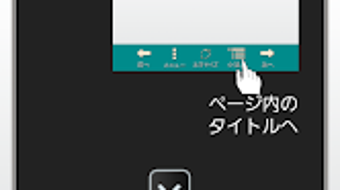
The SCV32 取扱説明書 features a clean, text-based interface optimized for readability on mobile screens. Navigation is primarily through a hierarchical menu system, allowing users to browse sections by category. The layout prioritizes clarity and ease of access, with large icons and concise headings.
Users can scroll through pages or use the built-in search function to locate specific content. The workflow is straightforward: after installation, the app launches directly into the main menu, where users can begin exploring the manual immediately. The developer did not specify resource usage details, so performance behavior in terms of CPU or RAM consumption remains unknown.
General software behavior patterns suggest that the app operates efficiently with minimal system impact due to its static content nature. Stability is expected to be high, as the app contains no dynamic or interactive components beyond navigation and text display. No reports of crashes or freezes were provided.
The app is designed for occasional use, meaning prolonged sessions are not typical.
Compatibility & System Requirements
The SCV32 取扱説明書 is compatible with Android devices and requires version 1.0 of the application. The installation size is 45.8 MB, which is relatively modest for a digital manual with embedded images and diagrams. The app is specifically designed for the Samsung Galaxy A8 (SCV32) and is not intended for use on other smartphone models.
Compatibility information was partially provided, with the operating system clearly stated as Android. The developer did not list specific hardware requirements such as minimum RAM, processor speed, or storage space beyond the file size. Users are advised to ensure sufficient storage space before installation.
The app supports offline access, meaning users can use it without an active internet connection after the initial download. However, updates to the manual may require re-downloading, which could incur data charges if not connected to Wi-Fi.
Pros and Cons
Pros
- Official Samsung content ensures high accuracy and reliability.
- Available for free, making it accessible to all Galaxy A8 (SCV32) users.
- Supports offline use after installation, ideal for travel or low-connectivity areas.
- Structured layout with search functionality enhances usability.
- Designed specifically for the Galaxy A8 (SCV32), ensuring relevance and precision.
Cons
- Available only in Japanese, limiting access to non-Japanese speakers.
- Not compatible with devices other than the Galaxy A8 (SCV32).
- Updates may require additional data, potentially leading to unexpected charges.
- Static content lacks interactive tutorials or video support.
- File size may be considered large for users with limited storage.
FAQ Section
Is the SCV32 取扱説明書 compatible with other Samsung phones?
The app is designed exclusively for the Galaxy A8 (SCV32) and is not compatible with other Samsung smartphone models.
Can I use the app without an internet connection?
Yes, once installed, the manual can be accessed offline, allowing users to reference content without an active internet connection.
Does the app require regular updates?
Updates may be released to correct errors or improve content, but the frequency and necessity are not specified by the developer.
Is the app safe to download and install?
As a free Android application developed by Samsung Electronics MUMD, it is considered secure. However, users should download it from official sources to avoid potential risks.
Can I use the app on a tablet or other Android device?
The app is designed for the Galaxy A8 (SCV32) and may not function properly on other devices, including tablets, due to hardware and software differences.
Final Thoughts + CTA
The SCV32 取扱説明書 delivers a focused, reliable, and convenient solution for users of the Samsung Galaxy A8 (SCV32). As an official digital manual, it provides accurate, well-organized guidance that enhances the user experience. While its language and device-specific nature limit its audience, it remains an essential tool for Japanese-speaking Galaxy A8 (SCV32) owners.
The app’s offline functionality and structured layout make it a practical choice for both new users and those troubleshooting issues. Despite the absence of multimedia or interactive elements, its core purpose is fulfilled effectively. For those seeking a secure, free, and official user guide, this application is a valuable resource.
Download SCV32 取扱説明書 now to access your Galaxy A8 (SCV32) manual anytime, anywhere.







